4. Updating
From the web page
Open Updates. Check for updates asks the update server whether a newer version exists and shows what is new. Install now installs it. The page reloads or is unavailable for a few seconds while the new version is switched in; VPN connections stay up.
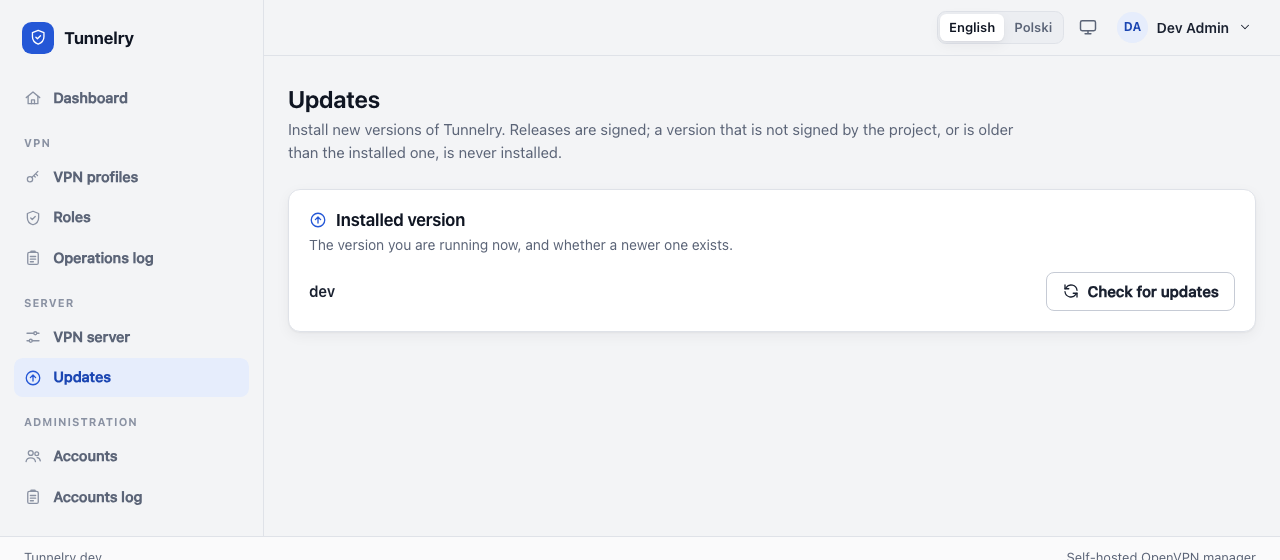
From the console the same thing is:
sudo -u tunnelry php /opt/tunnelry/current/artisan tunnelry:update --check
sudo -u tunnelry php /opt/tunnelry/current/artisan tunnelry:update --yes
An update needs an update server configured (--update-url at installation, or /etc/tunnelry/update.json).
What it does, and why it is safe
- Downloads the release and verifies its signature and checksum. A release that is not signed by the project, or is not newer than the installed one, is never installed.
- Unpacks it next to the running version; nothing changes yet.
- Makes a copy of the database (kept in
/var/lib/tunnelry/backups). - Installs the new helper program and system files, updates the database, switches to the new version in one atomic step, reloads the web server.
- Checks that the new version answers. If it does not, it switches back automatically to the previous version, the previous helper program and the saved database, and tells you.
The VPN service is not restarted by an update. The three latest versions are kept on disk.
If something goes wrong
The page (or tunnelry:update) says which step failed and that the previous version is running again. Details are in
the journal: sudo journalctl -t vpnctl --no-pager -n 50. Try again later, or write to contact@tunnelry.com (security
problems: security@tunnelry.com).
Next: backup and restore.